
Description
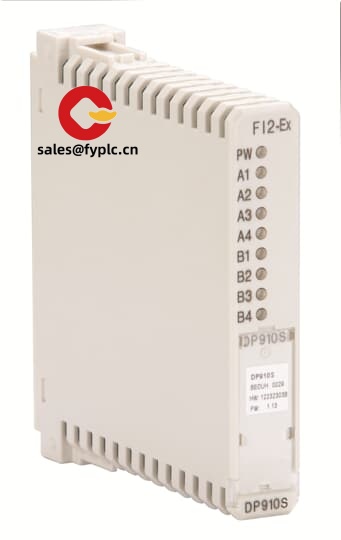
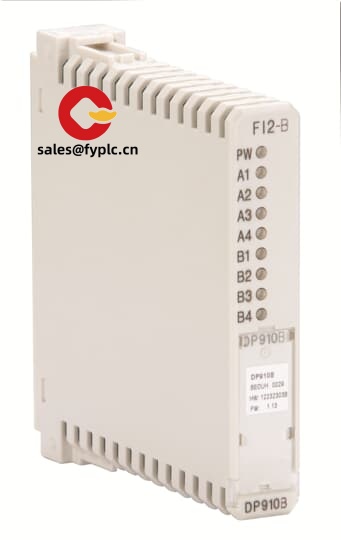
ABB DP910N (3KDE175363L9100) Drive Operator Panel – Practical keypad/HMI for ABB variable speed drives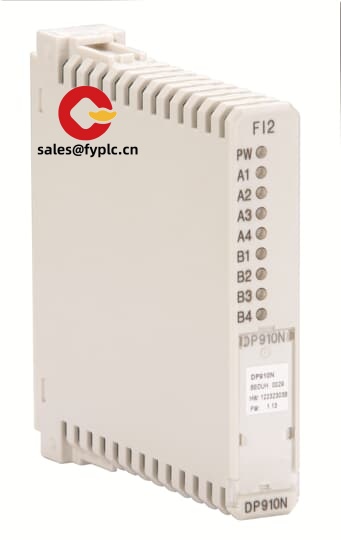
The ABB DP910N is a compact operator panel designed for quick drive access—parameter viewing, basic configuration, and local start/stop, typically without opening the cabinet HMI PC. From my experience, maintenance teams keep one on hand as a service panel for commissioning and fault diagnostics. The part code 3KDE175363L9100 identifies this specific DP910N variant, which seems to be widely used as a spare/upgrade in installed ABB drive bases.
Order Placement Process and Guarantees
- Warranty: 365 days
- Lead time: In-stock items ship in about 1 week; not more than one month at the latest
- Payment: 50% advance payment; full payment prior to delivery
- Express options: FedEx, UPS, DHL
Key Features
- Drive-focused keypad – Clear navigation keys and soft buttons for quick parameter tweaks and local control.
- Multi-line LCD with backlight – Readable text and fault codes in dim MCC rooms or bright workshops.
- Plug-and-play with ABB drives – Connects via the dedicated panel interface; typically powers from the drive itself.
- Parameter access and copy – In many cases you can view/edit key parameters and transfer settings between units, which speeds up commissioning.
- Rugged, panel-door mounting – Suited for industrial cabinets; front sealing typically meets IP65 when properly mounted.
- Service-friendly – Handy as a portable panel for troubleshooting across multiple drives on site.
Technical Specifications
| Brand / Model | ABB DP910N (Part No. 3KDE175363L9100) |
| Product Type | Drive operator panel / compact HMI keypad |
| HS Code (reference) | 8537.10 (Boards, panels, consoles for control, ≤1000 V) |
| Power Requirements | Typically powered from the drive’s panel port (24 VDC class) |
| Operating Temperature | 0…+50 °C (typical for ABB operator panels) |
| Front Protection | IP65 front when correctly panel-mounted (typical) |
| Signal I/O Types | Keypad input, display output; no discrete I/O terminals |
| Communication Interfaces | ABB proprietary panel interface (commonly via RJ-45 style cable) |
| Installation Method | Panel/door mount or tethered as a handheld service panel |
| Compatibility | ABB drive families supporting DP9xx series panels (confirm by drive type/firmware) |
Application Fields
You’ll see the DP910N used wherever ABB drives run the process: fan and pump rooms in water & wastewater, conveyors in mining and aggregates, mixers in chemicals, wire drawing in metals, even marine auxiliaries. One thing I appreciate is how it simplifies on-site parameter checks during audits or shift changeovers, especially when there’s no SCADA terminal nearby.
Advantages & Value
- Less downtime – Fast access to alarms and key parameters speeds fault triage.
- Configuration on the spot – Parameter copy/restore can reduce commissioning hours, typically.
- Spare-part friendly – Drop-in replacement for existing DP910N units in many cabinets.
- Lower training burden – Familiar button layout; new technicians get up to speed quickly.
- Reliable integration – Purpose-built for ABB drives, no extra gateways or add-ons.
A maintenance engineer at a cement plant told us the portable DP9xx-style panels “paid for themselves during a single clinker line restart”—they shaved hours off by cloning known-good parameters to a swapped drive.
Installation & Maintenance
- Mounting – For panel-door install, follow the cutout and gasket instructions to maintain IP protection; avoid panel twist and over-torque on fasteners.
- Wiring – Use the designated ABB panel cable; keep runs within ABB guidance (often 3–10 m max, depending on drive family). Route away from high-voltage or noisy motor cables.
- Power – Typically powered directly from the drive’s panel port; no external PSU required.
- Environment – Install in a clean, dry enclosure; allow some air circulation to prevent localized hot spots around the display.
- ESD & handling – Handle with ESD care; disconnect the drive before connecting or removing the panel to avoid communication glitches.
- Routine care – Wipe the display/lens with a soft, non-abrasive cloth; check keypad response. Keep firmware/parameter backup aligned with the drive revision where applicable.
You might notice that certain drive firmware revisions expect specific panel firmware features. If you’re mixing vintages, it’s smart to confirm compatibility before a shutdown window.
Quality & Certifications
- Certifications: CE, RoHS; UL/CSA recognition is typical for ABB drive accessories
- Manufacturer standards: Built for industrial environments and panel-door mounting
- Warranty: 365 days replacement/repair service window
Need help confirming compatibility with your specific ABB drive model? Share the drive type code and current firmware; we’ll match the correct DP910N variant and cable length so you don’t lose time on site.



Reviews
There are no reviews yet.