
Description
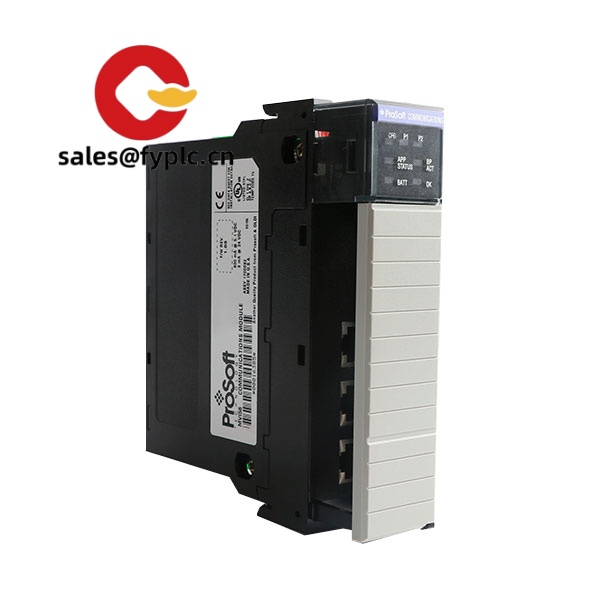
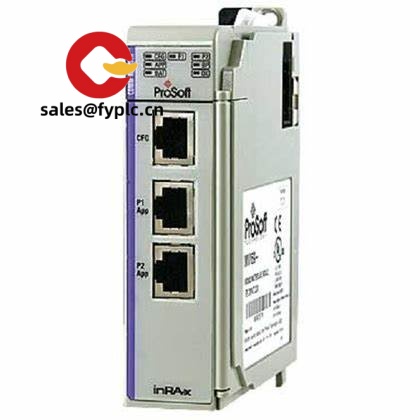
ProSoft MVI56-S3964R – ControlLogix module for Siemens 3964R serial integration
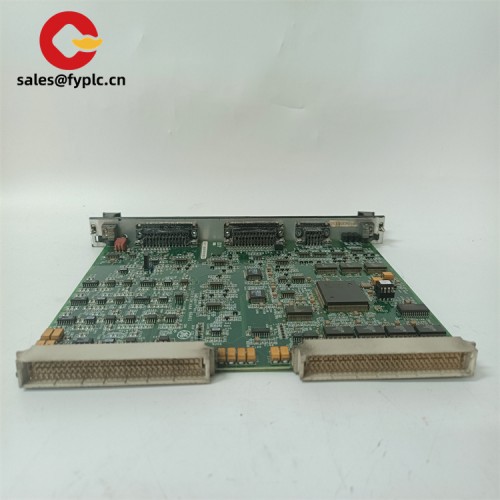
The ProSoft MVI56-S3964R brings Siemens 3964R serial devices into a Rockwell 1756 ControlLogix system without bolt-on gateways or custom code. From my experience, it’s a straightforward way to tie legacy S5/S7 equipment, weighers, CNCs, and specialty drives into a modern Logix controller while keeping deterministic data exchange on the backplane. One thing I appreciate is how quickly you can map data into tags and get diagnostics that actually help during commissioning.
Typical use cases include brownfield lines where a few 3964R devices still run critical steps, production cells that need Command/Response over 3964R with checksums, or OEM skids that ship Siemens serial instruments into a Logix plant. A maintenance lead at a food plant told us it “cut our serial downtime in half—troubleshooting from the PLC was finally doable.”
Our Order Process and Guarantees
- Warranty: 365 days
- Delivery: 1 week if in stock; no more than one month at the latest
- Payment: 50% advance payment, full payment before delivery
- Express: FedEx, UPS, DHL
Key Features
- Native ControlLogix integration – Installs as a 1756 single‑slot module and exchanges data over the backplane as controller tags for fast, deterministic access.
- Siemens 3964R protocol – Supports the 3964R framed serial protocol commonly used with Siemens S5/S7-era devices, with configurable handshakes and error checking.
- Dual serial channels – Two independent ports for RS-232/422/485 (selectable per port), useful when one device is point-to-point and the other is multi-drop.
- High-capacity data handling – User-defined command list and buffer mapping help move larger data blocks without complex ladder logic.
- Robust diagnostics – Status data, counters, and clear fault codes visible from the controller; front LEDs for quick port-level checks.
- Flexible performance – Typical baud rates up to 115.2 kbps with adjustable retries and timeouts to match older instruments or noisy runs.
- Simplified configuration – Configured using ProSoft Configuration Builder (PCB); sample ladder/AOI files speed up first-time projects.
Technical Specifications
| Brand / Model | ProSoft MVI56-S3964R (ControlLogix communication module) |
| HS Code | 8537.10 (Industrial control equipment for a voltage ≤1000V) |
| Power Requirements | Powered from 1756 ControlLogix backplane (5.1 V DC supplied by chassis; no external power required) |
| Dimensions & Weight | Standard 1756 single‑slot module; approx. 145 × 35 × 106 mm; ~0.4 kg (typical) |
| Operating Temperature | 0 to 60 °C (typical), 5–95% RH non‑condensing |
| Signal I/O Types | 2 × serial ports; RS‑232/422/485 (selectable); up to 115.2 kbps; 3964R framed data |
| Communication Interfaces | Siemens 3964R protocol on serial; ControlLogix backplane connection to controller; configuration via ProSoft Configuration Builder (serial) |
| Installation Method | Installs in a 1756 ControlLogix chassis (single slot). Serial wiring via DB9 connectors and shielded cables. |
Related or Supporting Products
- ProSoft MVI56E-MCM – If the field side is Modbus (RTU/TCP) rather than 3964R, this Enhanced module adds an Ethernet port and higher backplane throughput.
- ProSoft PLX31-EIP-SIE – Gateway for EtherNet/IP to Siemens Industrial Ethernet; a good fit when you prefer Ethernet instead of serial for Siemens connectivity.
- Belden 9841 – Shielded single-pair RS‑485 cable for longer multi‑drop runs; typically reduces noise issues in plants with VFDs.
- Phoenix Contact PSM-ME-RS485/RS485-P – Isolated RS‑485 repeater for extending bus length and improving resilience on noisy lines.
- DB9 null‑modem cable – Required for many RS‑232 3964R point‑to‑point connections; choose null‑modem or straight‑through based on the partner device.
Installation & Maintenance
- Panel/cabinet – Mount in a 1756 chassis within a ventilated industrial enclosure; keep the serial wiring away from high‑voltage runs and VFD outputs.
- Wiring – Use shielded twisted pair for RS‑485 with 120 Ω terminations at both ends; for RS‑232, keep cable lengths short (typically ≤15 m) and verify pinouts (null‑modem vs straight‑through).
- Grounding – Bond cable shields at one end to avoid ground loops; in many cases, terminating at the panel side works best.
- Configuration – Set baud rate, parity, timeouts, and 3964R options in ProSoft Configuration Builder; load sample AOI/L5X to speed mapping to controller tags.
- Safety – De‑energize the chassis before insertion/removal; observe ESD precautions when handling the module.
- Routine maintenance – Periodically back up the configuration, check error counters and retries, re‑seat connectors if counters trend up, and keep firmware current when practical.
Quality & Certifications
- Typically compliant with CE and UL/cUL for industrial control equipment; RoHS compliant.
- Manufacturer’s standard quality controls apply; we provide a 365‑day warranty on supply.
- Lot traceability and test documentation available on request in most cases.



Reviews
There are no reviews yet.