
Description
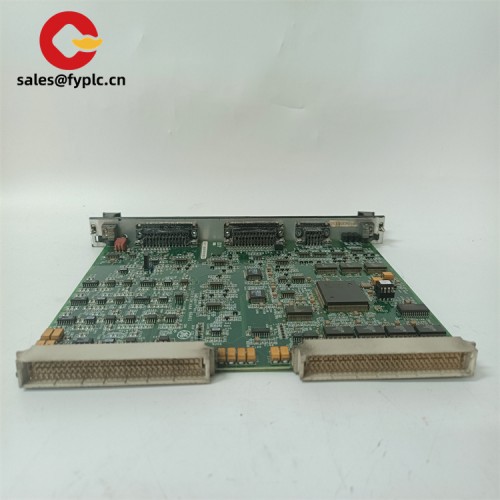
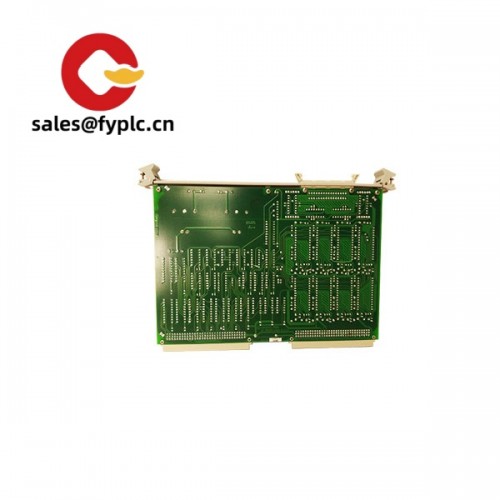
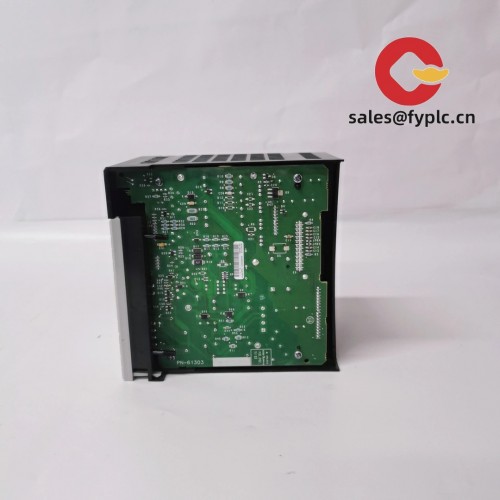
PCI4000 4‑Port Industrial Serial PCI Card – Expand RS‑232/422/485 Communications on Your IPC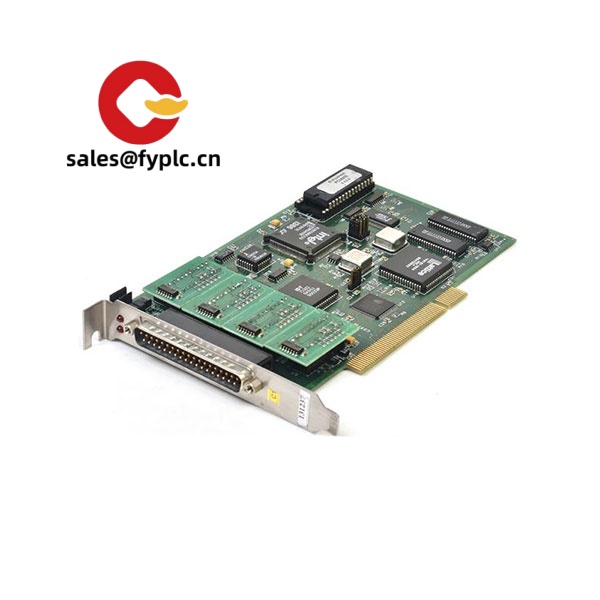
The PCI4000 is a practical pick when you need dependable multi‑port serial connectivity inside a control PC. From my experience, it’s typically deployed in factory HMIs, SCADA front‑ends, test benches, and legacy equipment upgrades where stable, low‑latency serial links still matter. You might notice that it keeps driver setup simple and delivers predictable timing, which is why maintenance teams tend to favor it for long‑running systems.
Company’s Order Placement Process and Guarantees
-
- – Warranty period: 365 days
-
- – Delivery time: 1 week for in‑stock items; no more than one month at the latest
-
- – Payment terms: 50% advance payment; full payment before delivery
- – Express delivery methods: FedEx, UPS, DHL
Key Features
- Four independent serial ports – Typically configurable for RS‑232/422/485, so you can connect PLCs, inverters, barcode scanners, and legacy instruments on the same card.
- Industrial signaling options – In many cases supports 2‑wire/4‑wire RS‑485 with bias/termination; RS‑422 differential pairs help with noise immunity over longer runs.
- High baud rate support – Commonly up to 921.6 kbps per port, useful for higher‑throughput data collection without dropping frames.
- Robust isolation variants – Builds with port‑to‑host isolation (often up to 2.5 kVrms) reduce the risk from ground loops and surges in electrically noisy cabinets.
- ESD/surge protection – Typically includes protection on TX/RX lines; fewer mysterious COM port resets during line transients.
- Stable drivers for Windows/Linux – Signed drivers and persistent COM port mapping simplify image deployment and cloning of IPCs.
- Standard PCI form factor – Fits a 32‑bit 33 MHz PCI slot; no external power, just the bus. Low‑profile bracket kits are often available.
- Flexible cabling choices – Direct DB9 headers or breakout cables/boxes, depending on how you prefer to route your harnesses in the panel.
Field note: A maintenance lead told us they swapped this into a packaging line IPC and cut troubleshooting time because the driver kept the same COM indices after imaging. Small detail, big win.
Technical Specifications
| Brand / Model | PCI4000 (Industrial 4‑Port Serial PCI Card) |
| HS Code | 8473.30 (Parts & accessories for ADP machines – interface/expansion cards) |
| Power Requirements | Bus‑powered from PCI slot (3.3 V/5 V rails); typical consumption < 5 W |
| Dimensions & Weight | Approx. 170 × 100 mm (half‑length, full‑height bracket); < 0.3 kg |
| Operating Temperature | 0 to 55 °C, 5–95% RH non‑condensing (typical for this class) |
| Signal I/O Types | RS‑232 (TX/RX/CTS/RTS/DTR/DSR), RS‑422 (differential), RS‑485 2‑wire/4‑wire (multi‑drop) |
| Communication Interfaces | 4 × Serial ports; baud rates typically up to 921.6 kbps per port; FIFO buffering for stable throughput |
| Installation Method | Standard 32‑bit PCI (33 MHz) slot; full‑height bracket; low‑profile option in many cases |
Related or Supporting Products
- MOXA CP-104EL – 4‑port RS‑232/422/485 PCI Express alternative; handy if your IPC lacks legacy PCI slots.
- Advantech PCI-1604U – 4‑port RS‑232/422/485 on PCI; functionally similar and often used as a drop‑in replacement.
- Brainboxes PX-475 – 4‑port RS‑232 (PCIe) for applications that only need RS‑232 signaling.
- Digi AccelePort Xr 920 (4‑port PCI) – Known for solid driver support in older control PCs.
- DB9 terminal breakout boards – For neat field wiring inside the cabinet; speeds up commissioning and troubleshooting.
- Surge/ESD protectors for RS‑485 trunks – Adds another layer of protection in noisy environments or long cable runs.
Installation & Maintenance
- Cabinet & IPC – Use a clean, ventilated cabinet. Keep the IPC away from high‑power VFDs or contactors when possible to reduce conducted noise.
- Slot & Bracket – Requires a 32‑bit PCI slot. If you’re using a slim chassis, check for a low‑profile bracket option before installation.
- Wiring – For RS‑485, use twisted‑pair shielded cable and apply termination/bias at the ends of the bus only. Ground shields at a single point to avoid loops.
- ESD & Safety – Power down the IPC and discharge static before handling. From my experience, reseating a PCI card once after first thermal cycle helps ensure long‑term contact integrity.
- Driver Setup – Install signed drivers and lock COM port indices early, so PLC/HMI projects don’t lose references during imaging or OS updates.
- Routine care – Quarterly dust removal, visual check of connectors, and verification of baud/termination on RS‑485 lines. Firmware updates are rarely needed but worth checking annually.
Quality & Certifications
- Certifications – Typically CE and FCC (EMC) with RoHS compliance; production under ISO 9001 QMS is common for this category.
- Protection – Many builds include 15 kV ESD (air) on serial lines and optional port isolation for harsh industrial sites.
- Warranty – 365‑day warranty as stated above; DOA units are replaced or repaired per standard RMA process.
One thing I appreciate is how the PCI4000 simplifies mixed‑protocol retrofits—running RS‑232 labelers next to RS‑485 drives on one card keeps your IPC tidy and makes spares management easier. If your control PC only has PCIe, the listed alternatives work well without changing your field wiring approach.



Reviews
There are no reviews yet.