
Description
AutomationX AXLINK100 – Compact Industrial Gateway for linking Ethernet SCADA with Serial Field Devices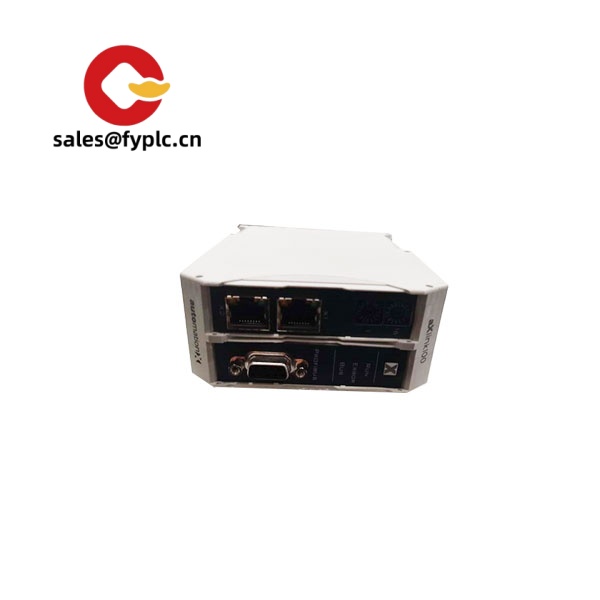
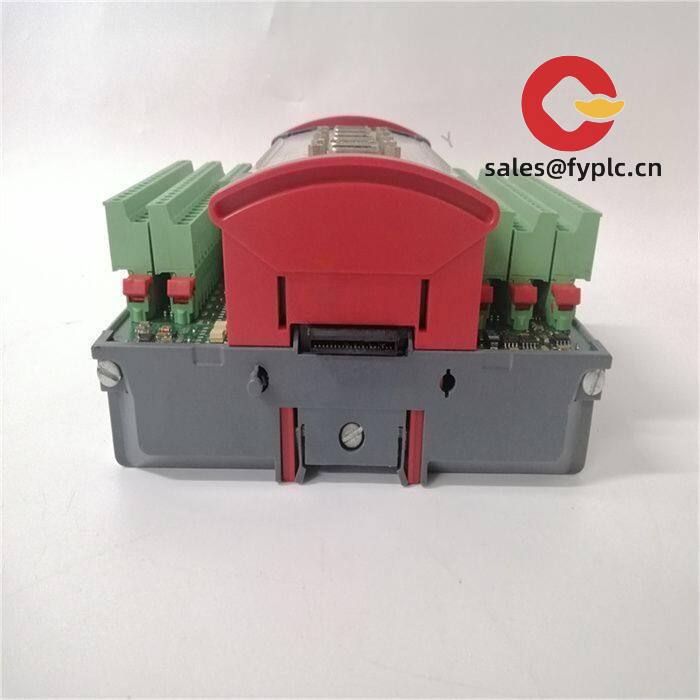
The AutomationX AXLINK100 is a small, DIN-rail gateway designed to bridge Ethernet-based SCADA/PLC systems with serial field equipment. From my experience, it’s a sensible pick when you need to bring Modbus RTU instruments, legacy controllers, or energy meters into a modern Ethernet or SCADA environment without overhauling your cabinet. You might notice that the footprint is modest, the wiring is straightforward, and the configuration typically doesn’t demand specialist software.
Company’s Order Placement Process and Guarantees
- Warranty: 365 days
- Delivery: 1 week if in stock; no more than one month at the latest
- Payment: 50% advance payment, full payment prior to delivery
- Express: FedEx, UPS, DHL
Key Features
- Ethernet-to-Serial Bridging – Typically links 10/100 Mbps Ethernet to RS‑485/RS‑232 devices, ideal for Modbus RTU integrations.
- Industrial Power – 24 VDC supply with low power draw; suited for control cabinets and machine panels.
- DIN‑Rail Mounting – Quick install on EN 60715 rails; keeps your panel layout clean.
- Rugged Operation – In many cases specified for −20 to +60 °C and high EMC immunity for plant-floor reliability.
- Status LEDs – Clear link, activity, and bus status indicators reduce troubleshooting time.
- Protocol Flexibility – Common use is Modbus RTU ⇄ Modbus TCP; BACnet MS/TP bridging is often available via firmware licensing or project setup.
- Simple Commissioning – Web or utility-based configuration, with backup/restore of settings for fast swap-outs.
Technical Specifications
| Brand / Model | AutomationX AXLINK100 |
| HS Code | 8517.62.00 (Data communication equipment, indicative) |
| Power Requirements | 24 VDC nominal (9–30 VDC), ≤ 5 W typical |
| Dimensions & Weight | Approx. 120 × 75 × 45 mm; ~0.25 kg (module only) |
| Operating Temperature | −20 to +60 °C; 5–95% RH, non‑condensing (typical) |
| Signal I/O Types | Serial communications (RS‑485 2‑wire/4‑wire; RS‑232); status LEDs; no high‑power I/O |
| Communication Interfaces | 1× 10/100Base‑T (RJ45); 1× RS‑485 (isolated); 1× RS‑232; service USB (where applicable) |
| Supported Protocols | Modbus RTU/TCP by default; BACnet MS/TP or BACnet/IP often available per project or firmware |
| Installation Method | DIN‑rail (EN 60715), panel grounding lug; plug‑in terminal blocks for power/serial |
| Ingress Protection | IP20 (control cabinet use) |
Application Fields
The AXLINK100 fits well where Ethernet SCADA needs to talk to serial devices. Typical scenarios:
- Connecting Modbus RTU energy meters and temperature controllers to Modbus TCP SCADA.
- Bridging building systems (BACnet MS/TP) into an AutomationX or PLC-based backbone.
- Upgrading legacy RS‑485 machine networks to be visible over Ethernet without changing field devices.
- Remote substation panels where serial instruments must be polled over a plant LAN/VPN.
Customer feedback from a maintenance lead in a food plant: “We had it bridging 32 Modbus nodes in under an hour. The LED diagnostics really helped during commissioning.”
Advantages & Value
- Procurement-friendly – Standard 24 VDC power and common protocols reduce vendor lock‑in.
- Reliability – Isolated RS‑485 and solid EMC behavior minimize nuisance comms faults.
- Compatibility – Works with mainstream SCADA/PLCs using Modbus TCP; BACnet options cover building automation needs.
- Cost Savings – Avoids controller upgrades by extending life of installed serial devices.
- Support – Configuration backup files make replacements quick; fewer on‑site hours in most cases.
Installation & Maintenance
- Cabinet & Ventilation – Install in an IP‑rated control cabinet; allow at least 25 mm clearance around the unit for airflow.
- Power & Grounding – Use a regulated 24 VDC supply; bond the device ground to the panel ground. Keep power and signal wiring segregated.
- Serial Wiring – Use twisted‑pair shielded cable for RS‑485; terminate with 120 Ω at the line ends and observe biasing. Keep drops short.
- Ethernet – Industrial RJ45 cables and, where noise is present, shielded patch leads tied to the cabinet ground.
- Surge & EMC – Add RS‑485 surge protection and ferrites in high‑noise zones; route away from VFD outputs.
- Routine Care – Check connectors quarterly, clean dust with dry air, and review event logs. Plan firmware updates during scheduled downtime and keep a configuration backup.
Recommended Accessories & Supporting Components
- 24 VDC DIN‑rail power supply, 1–2 A, ripple ≤ 100 mVpp (for stable comms and headroom).
- 5‑port industrial Ethernet switch (10/100 Mbps) for panel consolidation and diagnostics.
- RS‑485 surge protector or isolated repeater for long cable runs and multi‑drop networks.
- Shielded twisted‑pair RS‑485 cable and RJ45 industrial patch leads, panel‑rated.
- 120 Ω DIN‑rail terminators and labeled plug‑in terminal blocks for serviceability.
Quality & Certifications
- CE and RoHS compliance for EU markets (typical for this class of device).
- UL/cUL recognition for control equipment is commonly available on request.
- EMC: Designed to meet industrial immunity/emission standards (EN 61000‑6‑2/6‑4 class behavior).
- Warranty: 365 days as part of our sale terms.
If you’re consolidating mixed serial devices into a single Ethernet view, AXLINK100 tends to be a clean, low‑risk way to get it done without re‑engineering the whole line. Let me know the device list and baud settings—mapping templates usually speed things up a lot.



Reviews
There are no reviews yet.