
Description
Emerson AVS-1700-ACX – Rackmount KVM switch for streamlined, local multi‑server control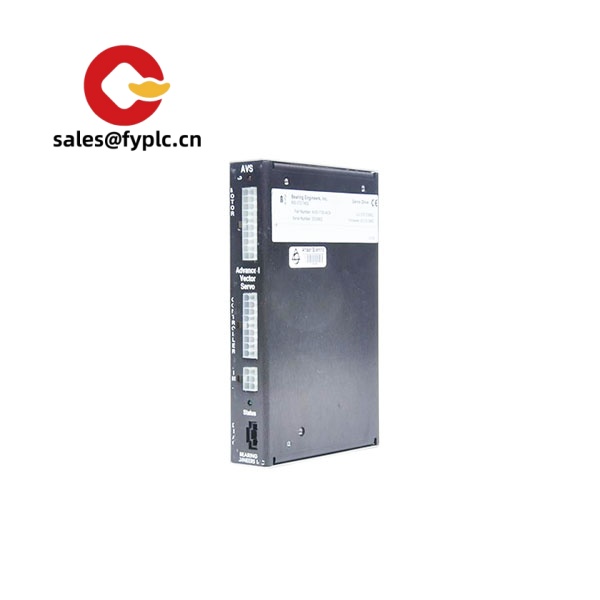
The Emerson AVS-1700-ACX is designed for teams that need quick, reliable access to multiple servers from a single console—typically in control rooms, production facilities, and compact data racks. From my experience, it fits best when you want centralized, local access without the complexity of full IP-KVM infrastructure. You might notice that it pairs nicely with server interface modules, allowing mixed USB and PS/2 hosts on the same switch, which is still common in brownfield industrial environments.
Order Placement Process and Guarantees
- Warranty period: 365 days
- Delivery time: 1 week for in-stock; no more than one month at the latest
- Payment: 50% advance payment; full payment before delivery
- Express delivery: FedEx, UPS, DHL
Key Features
- Multi‑server control from one console – Typically supports a single local user to operate multiple servers from one keyboard/mouse and monitor, reducing clutter and operator errors.
- Mixed USB and PS/2 compatibility – Works with common server interface modules, so you can connect legacy PS/2 hosts alongside newer USB systems.
- OSD for fast navigation – On-screen display usually enables quick server selection and basic configuration without a separate management PC.
- RJ‑45 to server dongle architecture – In many cases, the AVS-1700-ACX uses Cat5/6 links to compact server dongles, keeping cable runs tidy in 600/800 mm cabinets.
- 19‑inch rackmount, 1U – Saves front‑of‑rack space; seems to be the standard footprint for dense installations.
- Auto‑sensing video – Typically supports VGA video with automatic detection; suitable for common BIOS‑level access in industrial PCs and servers.
- Low maintenance – No fans on many units of this class and minimal firmware interaction, which is appreciated in dusty or vibration‑prone areas.
Technical Specifications
| Brand / Model | Emerson AVS-1700-ACX |
| HS Code | 8517.62 (Switching and routing apparatus for data) |
| Power Requirements | 100–240 VAC, 50/60 Hz; internal supply; low power draw (typical) |
| Dimensions & Weight | 1U 19-inch rackmount; compact depth; approx. 2–3 kg (typical for this series) |
| Operating Temperature | 0 to 40 °C (32 to 104 °F) recommended for network/IT cabinets |
| Signal Input/Output Types | VGA video; USB or PS/2 keyboard/mouse via server interface modules; 1 local console |
| Communication Interfaces | RJ‑45 KVM ports to Cat5/6 server dongles (typical); local console ports (VGA + USB/PS/2) |
| Installation Method | 19-inch EIA rackmount, 1U; front ears included in most bundles |
Application Fields
This model suits environments where operators need BIOS‑level and OS‑level access to multiple machines without network exposure:
- Industrial automation cabinets for MES, historian, and HMI/SCADA servers
- Utilities and energy—substation RTU/PLC maintenance bays
- Process control rooms with mixed‑generation servers and IPCs
- Manufacturing QA labs and repair benches, where direct local access is preferred
- Secure networks that avoid KVM‑over‑IP for policy reasons
Advantages & Value
- Reliability – Fewer moving parts and a simple architecture; in many cases these units run for years with minimal intervention.
- Compatibility – Works with a wide range of server interface modules, so you can standardize across USB and PS/2 hosts without new cabling at each server.
- Cost control – A practical alternative to IP‑KVM when local access is all you need; saves licensing and avoids network hardening complexity.
- Operational efficiency – One console for many systems reduces time to diagnose boot issues, driver prompts, or BIOS settings after maintenance.
- Scalable wiring – Cat5/6 runs to server dongles keep cabinets tidy; easier to route than thick KVM bundle cables.
Installation & Maintenance
- Cabinet standards – Install in a 19-inch EIA rack, 1U space. Allow front clearance for cabling and rear clearance for power and RJ‑45 KVM ports.
- Ventilation – Provide normal IT‑rack airflow. Avoid mounting directly above high‑heat equipment; keep ambient below 40 °C where possible.
- Grounding & power – Use a grounded AC outlet through a reliable PDU. From my experience, adding surge protection in industrial panels is worth it.
- Wiring – Use Cat5e/6 to server interface modules; cable lengths up to 30 m are common in this class (shorter runs reduce video degradation).
- Labeling – Label each port and matching server dongle; it saves real time during outages and audits.
- Routine checks – Quarterly dust‑off on connectors, verify video quality, and confirm hotkeys/OSD mappings. Apply firmware updates when published to address compatibility fixes.
- Safety – De‑energize connected equipment before re‑terminating KVM lines; avoid routing KVM cables parallel to VFD or high‑noise power lines.
Quality & Certifications
Units in this family typically carry CE and FCC Class A compliance and are RoHS conformant. ISO 9001 quality systems are standard at the manufacturing level. Warranty through us is 365 days; extended coverage can be discussed if you need longer lifecycle assurance.



Reviews
There are no reviews yet.