
Description
GE IC754VGF12CTD – 12.1-inch QuickPanel HMI for machine visualization and line control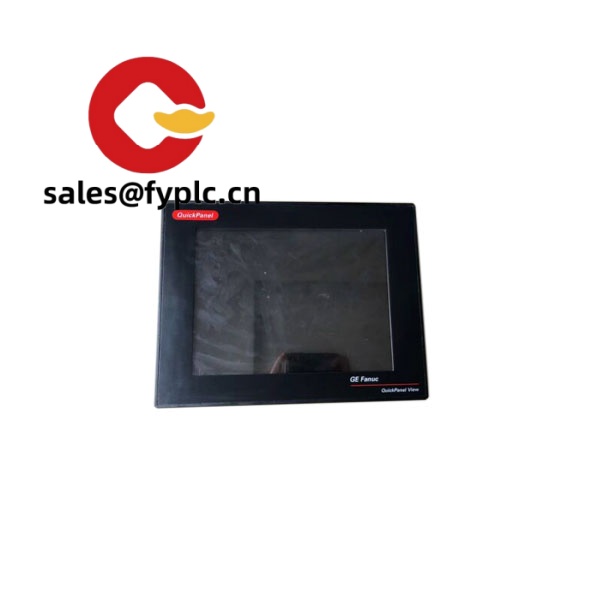
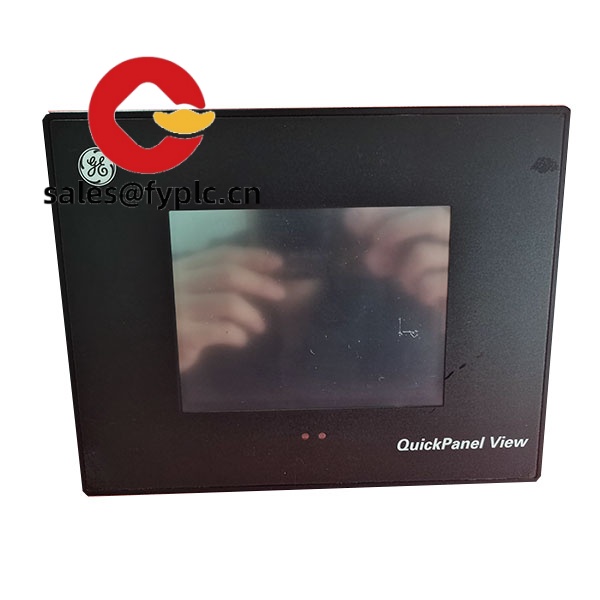
The GE IC754VGF12CTD sits in the QuickPanel family, a dependable 12.1-inch color touchscreen HMI that’s typically used on packaging lines, mixers, water treatment skids, and CNC support stations. From my experience, teams choose this model when they need a clear SVGA display, native Ethernet and serial connectivity, and a panel-mount unit that just keeps running on 24 VDC. You might notice that it pairs smoothly with legacy GE Fanuc PLCs as well as many third‑party controllers via common drivers, which makes upgrades and replacements straightforward in most cases.
Our Order Process & Guarantees
- Warranty: 365 days
- Lead time: 1 week if in stock; no more than one month at the latest
- Payment: 50% advance; full payment prior to delivery
- Express options: FedEx, UPS, DHL
Key Features
- 12.1-inch TFT touchscreen – Bright color display for clear process graphics; typically SVGA 800×600 for comfortable HMI layouts.
- 24 VDC operation – Standard control-cabinet power; stable even on slightly noisy supplies within typical 18–30 VDC range.
- Industrial connectivity – Ethernet 10/100 for plant networks, plus RS‑232/422/485 for drives, meters, and legacy devices.
- CompactFlash and USB – Easy recipe/firmware moves and data logging; swap storage without cracking open the panel door for long.
- Panel-mount, IP-rated front – Gasketed bezel for washdown splash at the front; fits standard control panel cutouts.
- Runtime compatibility – Typically deployed with Proficy HMI/SCADA View runtimes and common PLC driver packs for quick integration.
- Stable in real plants – In many cases, units run 24/7 at 0–50°C ambient with minimal attention beyond scheduled cleanings.
Technical Specifications
| Parameter | Details |
| Brand / Model | GE – IC754VGF12CTD (QuickPanel HMI) |
| HS Code | 8537.10 (Boards/panels for electric control, including HMIs) |
| Power Requirements | 24 VDC nominal (typically 18–30 VDC), power consumption ≈ up to 35 W depending on configuration |
| Display | 12.1-inch color TFT LCD, typically 800×600 (SVGA), analog resistive touch |
| Communication Interfaces | 1× Ethernet 10/100Base‑T; serial ports (RS‑232/422/485); USB (Host/Device); CompactFlash slot |
| Signal Input/Output Types | Touch input (5‑wire resistive); no onboard discrete/analog I/O – communicates via PLC networks |
| Operating Temperature | 0 to 50 °C (32 to 122 °F) typical industrial rating; non‑condensing humidity |
| Installation Method | Panel‑mount with clips and gasket; front face typically IP65/NEMA 4 when properly installed |
| Dimensions & Weight | 12.1-inch format panel; bezel approx. 320×240 mm, depth ~60 mm, weight ~3.0 kg (varies slightly by revision) |
Related and Supporting Products
- GE IC754VGF10CTD – 10.4-inch QuickPanel variant; smaller footprint when space is tight.
- GE IC754VGF15CTD – 15-inch QuickPanel variant; larger screen for dense SCADA views.
- GE QuickPanel+ (IC755 series) – Newer platform with enhanced processor and multi-touch; consider when modernizing HMIs.
- 24 VDC industrial power supply – Choose a 60–100 W unit with low ripple for stable HMI operation.
- Managed industrial Ethernet switch – Helps segment HMI/PLC traffic and improve diagnostics on larger cells.
- Panel mounting kit & gasket – Proper sealing hardware to maintain the IP/NEMA rating after replacement.
- Proficy Machine Edition software – Typically used for project development, download, and runtime licensing on QuickPanel units.
Field note: A food & beverage OEM told us they swapped an older 10.4-inch HMI to the IC754VGF12CTD to give operators more space for trend panes and alarm summaries. Downtime was under two hours since the project ports and drivers matched what they already used on the PLC. That seems to be the typical experience when staying within the QuickPanel family.
Installation & Maintenance
- Cabinet & mounting – Install on a flat, rigid panel; deburr the cutout and fit the gasket evenly. Leave a few centimeters of free space at the rear for airflow and cable bend radius.
- Power & grounding – Use a dedicated 24 VDC circuit with proper earth ground. In many cases, a ferrite or line filter reduces noise from VFDs nearby.
- Wiring – Keep Ethernet and serial away from high‑voltage conductors. Shield RS‑485 runs and tie the shield at one end to avoid ground loops.
- Environmental – Target 0–50°C ambient, non‑condensing. If mounted in a warm cabinet, consider a small fan or heat exchanger.
- Routine care – Clean the bezel and screen with non‑abrasive wipes; check gasket condition annually. Back up the HMI project and data logs to CF/USB on a set schedule.
- Firmware & project – Periodically review runtime/driver versions and update during planned downtime; keep a change log for validation.
Quality & Certifications
- CE compliant
- UL/cUL listing for industrial control equipment
- RoHS conformity for restricted substances
- Manufacturer warranty practices typically apply; our coverage adds a 365‑day warranty from delivery



Reviews
There are no reviews yet.