
Description
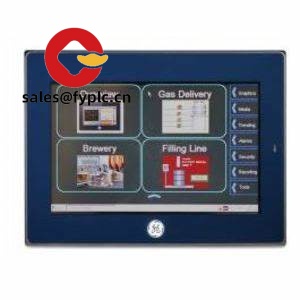
GE IC755CSS12CDA QuickPanel+ – 12-inch HMI for machine visualization and production diagnostics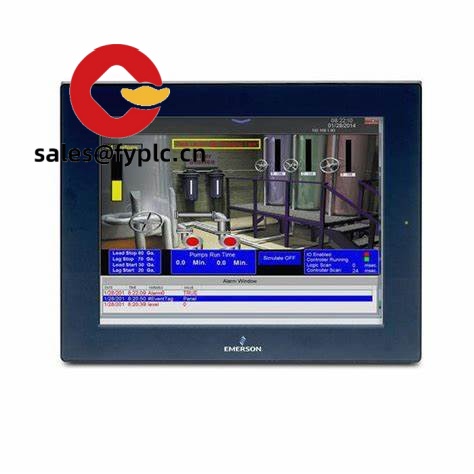
The GE IC755CSS12CDA is part of the QuickPanel+ family—an operator interface panel used on packaging lines, skid systems, and assembly cells where a clean 12-inch touchscreen and reliable communications matter. From my experience, this model is typically chosen when you want a bright, mid‑size display with standard 24 VDC supply, multiple industrial protocols, and simple panel mounting. It’s configured with Proficy Machine Edition and, in most cases, supports multi-vendor PLC connectivity without adding gateways.
Company’s Order Placement Process and Guarantees
- Warranty: 365 days
- Lead time: 1 week if in stock; no more than 1 month latest
- Payment: 50% advance; full payment before delivery
- Express delivery: FedEx, UPS, DHL
Key Features
- 12-inch operator interface (QuickPanel+ series): A clear mid-size screen that fits most machine doors without crowding other devices.
- 24 VDC power input: Standard industrial supply makes integration straightforward on existing panels.
- Ethernet and serial connectivity: You get typical 10/100 Ethernet and RS‑232/485 for PLCs, drives, and smart instruments—handy during brownfield upgrades.
- USB for maintenance: Fast project download, data backup, or recipe handling via USB, which in many cases saves service time.
- Configured in Proficy Machine Edition: Consistent engineering workflow across GE/Emerson HMIs and controllers; you might notice reduced commissioning steps when reusing templates.
- Panel-mount with gasket: Clean front surface and sealed fit when properly installed—good for washdown-adjacent areas (non-direct spray).
- Broad protocol support: Typically supports Modbus TCP/RTU, EtherNet/IP, and native connectivity to GE/Emerson PACSystems, among others via drivers.
Technical Specifications
| Brand / Model | GE – IC755CSS12CDA (QuickPanel+ HMI) |
| HS Code | 8537.10 (Panels for electric control/distribution) |
| Power Requirements | 24 VDC nominal (typically 18–30 VDC) |
| Display | 12-inch class TFT touchscreen; QuickPanel+ family |
| Operating Temperature | 0 to 50 °C (typical for this series) |
| Signal I/O Types | No on‑board discrete/analog I/O; HMI functions via network communications |
| Communication Interfaces | Ethernet 10/100 (commonly 1–2 ports), RS‑232/485, USB 2.0 (Host/Device), SD/microSD for storage (varies by sub‑revision) |
| Installation Method | Panel mount with supplied gasket and clips; front sealing when correctly installed |
| Dimensions & Weight | 12.1-inch display class; panel-mount unit, weight typically under 3 kg (refer to datasheet for exact cutout and mass) |
| Configuration Software | Proficy Machine Edition (HMI/SCADA configuration) |
Related or Supporting Products
- IC755CSS07CDA – 7-inch QuickPanel+ variant; compact footprint for tight door spaces.
- IC755CSS10CDA – 10-inch model; good balance of screen area and enclosure space.
- IC755CSS15CDA – 15-inch model; preferred when detailed diagnostics or multi-pane screens are needed.
- Proficy Machine Edition – Engineering software for creating screens, alarms, and recipes.
- 24 VDC DIN-rail power supplies (60–120 W class) – Stable input power with overload protection; choose industrial grade.
- Industrial Ethernet switches – Managed 10/100/1000 switches to segment HMI/PLC traffic and improve determinism.
Installation & Maintenance
- Panel/cabinet: Use a rigid, grounded steel or aluminum door; follow the manufacturer’s cutout template and install the gasket evenly to maintain the front seal.
- Ventilation: Keep ambient within 0–50 °C; avoid direct sunlight and provide airflow or heat exchangers if the cabinet runs warm.
- Power & wiring: 24 VDC supply with proper grounding; separate low-voltage comms from high-voltage runs. Shield and bond Ethernet/serial where noise is present.
- Networking: For dual-network setups (machine vs. plant), assign unique IPs and, where possible, place the HMI behind a managed switch or VLAN.
- Safety: De-energize before service; verify enclosure IP/NEMA rating after any door work. Use ESD precautions when handling storage media.
- Routine maintenance: Back up the HMI project and recipes; check connectors quarterly; clean the screen with non-abrasive wipes; apply firmware/runtime updates during planned downtime.
- Spare strategy: Keep at least one spare HMI and SD/USB media with the current image—this typically cuts mean-time-to-repair to under an hour.
Quality & Certifications
- Certifications: CE, UL/cUL (industrial control equipment), and RoHS compliance are standard for the QuickPanel+ family.
- Manufacturer’s warranty: Backed by a standard OEM warranty; extended coverage available in many regions.
One thing I appreciate is how the IC755CSS12CDA integrates into existing PLC networks with minimal friction—engineers usually get recipes, alarms, and data logging running without extra boxes. If you’re replacing an older QuickPanel, migration tends to be smooth, and the 12-inch size hits a sweet spot for most operator tasks.



Reviews
There are no reviews yet.