
Description
ProSoft ILX56-MM – Multi‑Modbus communication module for ControlLogix systems
The ProSoft ILX56-MM is an in‑chassis communication module designed to bring multiple Modbus serial devices straight into a Rockwell ControlLogix controller. From my experience, it’s a practical pick when you need reliable, deterministic data exchange with Modbus RTU/ASCII instruments—drives, meters, and legacy panels—without adding a separate gateway box. You might notice that projects go faster because everything maps cleanly into Logix tags and stays inside the chassis.
One thing I appreciate is how it typically provides multiple configurable serial channels (RS‑232/422/485) and supports both Modbus Master and Slave roles, so you can mix device types on the same platform. Diagnostics are straightforward, command lists scale well in most cases, and firmware updates are handled with ProSoft’s standard toolkit.
Order Placement Process and Guarantees
- Warranty: 365 days
- Delivery time: 1 week if in stock; no more than one month at the latest
- Payment: 50% advance payment, full payment for delivery
- Express delivery: FedEx, UPS, DHL
Key Features
- Native ControlLogix integration – In‑chassis module with deterministic backplane exchange; data is exposed as Logix tags for simple PLC logic.
- Multi‑Modbus (RTU/ASCII) Master/Slave – Typically supports Master or Slave modes so you can poll field devices or present data back to upstream systems.
- Multiple serial interfaces – Ports are usually configurable for RS‑232/422/485, helping with mixed vendor instrumentation.
- Robust command handling – Sizable command lists and flexible mapping; good for consolidating many meters or drives into one slot.
- Commissioning tools and diagnostics – Standard ProSoft utilities aid setup, status, and troubleshooting; reduces on‑site time.
- Industrial reliability – Designed for typical 0…60°C operation with isolated serial ports to reduce noise issues.
Technical Specifications
| Brand / Model | ProSoft ILX56-MM |
| HS Code | 8537.10 (Programmable control/communication modules; final classification may vary by region) |
| Power Requirements | ControlLogix backplane 5.1 VDC; ~800 mA typical (varies by revision and loading) |
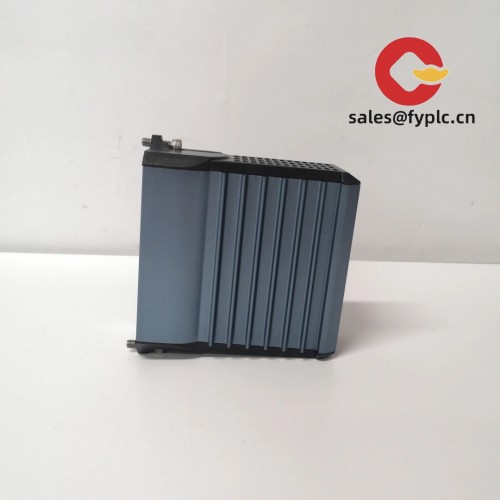
| Dimensions & Weight | Single‑slot ControlLogix form factor; approx. 35 × 145 × 114 mm; ~0.4 kg (typical) |
| Operating Temperature | 0 to 60°C; 5–95% RH, non‑condensing |
| Signal I/O Types | Serial communications (Modbus RTU/ASCII); ports configurable for RS‑232/422/485; isolated channels |
| Communication Interfaces | Backplane interface to ControlLogix; 2× serial ports for field devices (connector style may vary by version) |
| Installation Method | In‑chassis ControlLogix module; occupies one slot; configured via Studio 5000/RSLogix 5000 with ProSoft AOP/AOI support |
Related or Supporting Products
- ProSoft MVI56E-MCM – Enhanced Modbus RTU/ASCII module for ControlLogix; similar role with higher capacity and modern firmware.
- ProSoft MVI56E-MCMXT – Extended‑temperature variant; useful for harsher environments.
- ProSoft MVI56E-MNETC – Modbus TCP client/server module if you prefer Ethernet‑based Modbus integration.
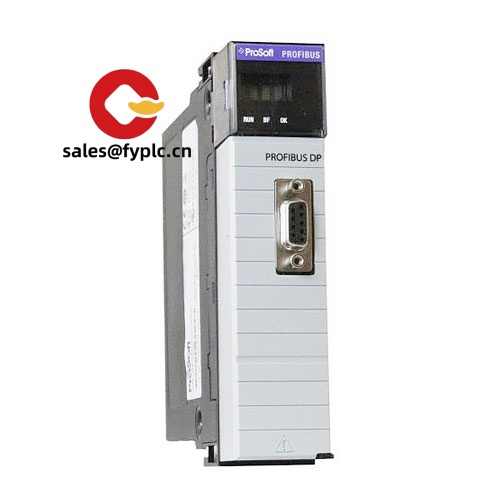
- ProSoft ILX56-PBS – Profibus DP Slave in‑chassis module for similar ControlLogix integration but different fieldbus.
- ProSoft PLX31-EIP-MBTCP – Stand‑alone EtherNet/IP to Modbus TCP gateway when no spare chassis slot is available.
Installation & Maintenance
- Cabinet & environment – Mount in a ControlLogix chassis within a ventilated enclosure; keep ambient 0…60°C and avoid condensation. Maintain separation from high‑voltage cables where practical.
- Wiring practices – Use shielded twisted pair for RS‑485; terminate at bus ends and apply biasing as required. Keep serial runs short and properly grounded to limit noise.
- Configuration – Create Modbus command lists in ProSoft’s configuration tool; map to Logix tags. You might notice commissioning goes faster with the provided AOI and status tags.
- Safety – Power down the chassis before inserting/removing the module. Verify keying and slot location in Studio 5000 to prevent mismatches.
- Routine maintenance – Periodically back up configuration, review diagnostics for retries/timeouts, and update firmware when release notes address bug fixes or security items. Light dust cleaning helps in many cases.
Quality & Certifications
ProSoft modules are typically certified for CE and UL/cUL; many versions are RoHS compliant and suitable for Class I, Div 2 locations (confirm per label and datasheet). Manufacturer warranty is commonly limited (often 1 year), and we support this with a 365‑day warranty on supply.



Reviews
There are no reviews yet.