
Description
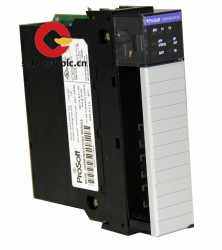
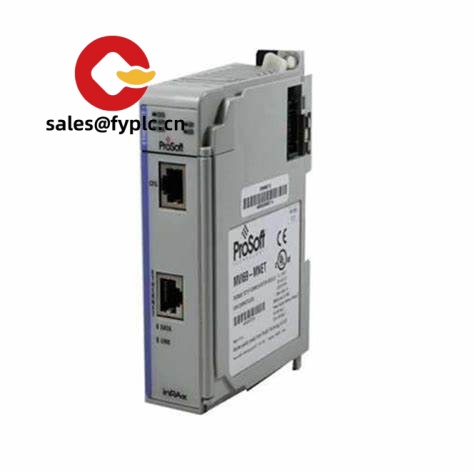
ProSoft Technology MVI56-AFC – ControlLogix In-Chassis Flow Computer for Reliable EFM in Oil & Gas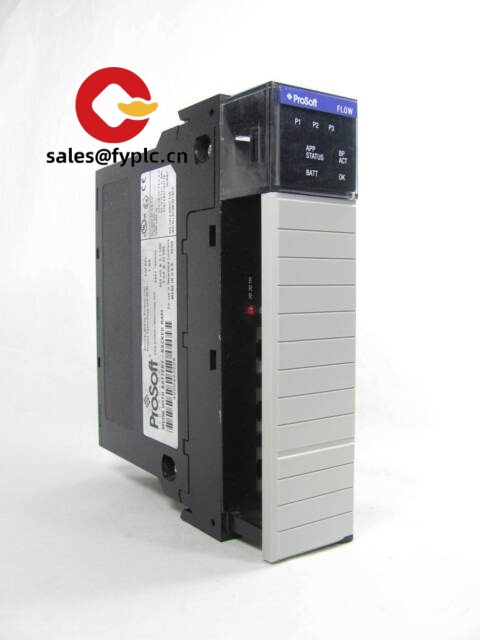
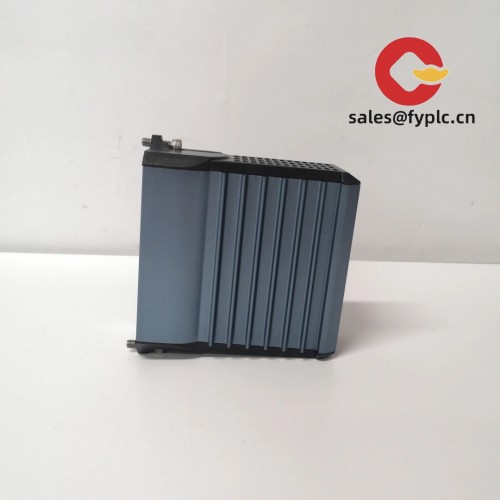
The ProSoft Technology MVI56-AFC is a single-slot flow computer module that snaps right into a 1756 ControlLogix chassis and turns your Logix platform into a robust electronic flow measurement (EFM) solution. From my experience, plants adopt it when they want AGA/API-aligned gas or liquid measurement, hourly/daily archives, and audit trails—without adding a separate stand-alone flow computer. You might notice that it typically shortens commissioning time, because all the flow logic, data, and diagnostics live in the same PLC ecosystem you already maintain.
Typical use cases include well pad measurement, LACT skids, custody transfer points, and retrofits where the goal is to consolidate disparate flow computers into the ControlLogix rack. One thing I appreciate is how deterministic the backplane exchange feels compared to external boxes; troubleshooting becomes simpler and the data model is cleaner for SCADA historians.
Company’s Order Placement Process and Guarantees
- Warranty: 365 days
- Delivery: 1 week for in-stock; no more than one month at the latest
- Payment: 50% advance payment; full payment prior to delivery
- Express options: FedEx, UPS, DHL
Key Features
- In-chassis flow computing for ControlLogix – Runs inside a 1756 rack; no external flow computer required in many cases.
- EFM archives and audit trail – Hourly/daily totals, events, and alarms stored on the module for compliance and accountability.
- AGA/API-aligned calculations – Supports common gas and liquid metering methods used across upstream and midstream measurement.
- Deterministic backplane data exchange – Tight integration with Logix tags (AOIs/UDTs are typically provided), simplifying HMI/SCADA mapping.
- Dual isolated serial ports – RS-232/422/485 connectivity to flow devices, chromatographs, or smart transmitters; flexible baud rates.
- Time-stamped events – Realistic audit trail with alarms and status changes; helps with disputes or balance checks.
- Compact footprint – Replaces multiple standalone boxes and reduces wiring and panel depth.
- Configuration utilities – Works with ProSoft tools and Logix environment for parameter setup, diagnostics, and firmware updates.
Technical Specifications
| Brand / Model | ProSoft Technology / MVI56-AFC |
| HS Code | 8537.10 (Industrial control equipment; PLC system modules) |
| Power Requirements | Backplane supply 5.1 VDC, approx. 800 mA (typical) |
| Dimensions & Weight | Approx. 147 × 35 × 145 mm (H × W × D); ~0.3–0.4 kg |
| Operating Temperature | 0 to 60 °C (32 to 140 °F) |
| Signal I/O Types | Serial communications (no direct analog inputs). Flow inputs typically sourced from connected instruments or 1756 I/O. |
| Communication Interfaces | 2 × serial ports (RS-232/422/485, isolated, up to 115.2 kbps); ControlLogix backplane interface |
| Installation Method | Single-slot 1756 ControlLogix chassis mounting; standard keying and backplane connection |
Related or Supporting Products
- ProSoft MVI56E-AFC – Enhanced version; typically adds higher performance and on-board Ethernet diagnostics.
- ProSoft MVI56-MCM – Modbus Master/Slave module if you prefer to keep an external flow computer and pull EFM data via Modbus.
- Allen‑Bradley 1756-IF8 / 1756-IF16 – Analog input modules to bring pressure/temperature signals into the Logix for AFC calculations.
- Allen‑Bradley 1756-PA72 / 1756-PA75 – ControlLogix power supplies; check loading to accommodate the module’s backplane current.
- Allen‑Bradley 1756-EN2T / 1756-EN4TR – Ethernet modules for plant networks and historian connectivity on the PLC side.
Installation & Maintenance
- Cabinet & environment: Install in a 1756 chassis within a clean, ventilated enclosure; 0–60 °C, 5–95% RH non‑condensing. Leave airflow clearance around the rack.
- Power budgeting: Verify the 5.1 V backplane current capacity of the 1756 power supply; include margin for future modules.
- Wiring practices: Use shielded twisted pair for RS‑485; observe termination and biasing where applicable. Keep serial runs away from VFD cables.
- Grounding: Single-point panel ground; bond shields at one end to minimize ground loops. It appears this helps reduce intermittent comms noise in the field.
- Logix integration: Import the provided AOIs/UDTs, map tags for setpoints, totals, and alarms. Validate time sync with the controller clock.
- Routine maintenance: Periodically download archives, clear acknowledged events, and check clock drift. Firmware updates and configuration are typically done via ProSoft tools.
- Safety: De-energize before inserting/removing modules; follow ControlLogix keying and ESD handling. In classified areas, use appropriate enclosures and wiring methods.
Quality & Certifications
- Typically cULus Listed and CE marked; RoHS compliant
- Often suitable for Class I, Div 2 when installed in a proper enclosure
- Manufacturer’s limited warranty is commonly 1 year; our supply warranty is 365 days
- Manufactured by ProSoft Technology for the Rockwell Automation ControlLogix platform



Reviews
There are no reviews yet.