
Description
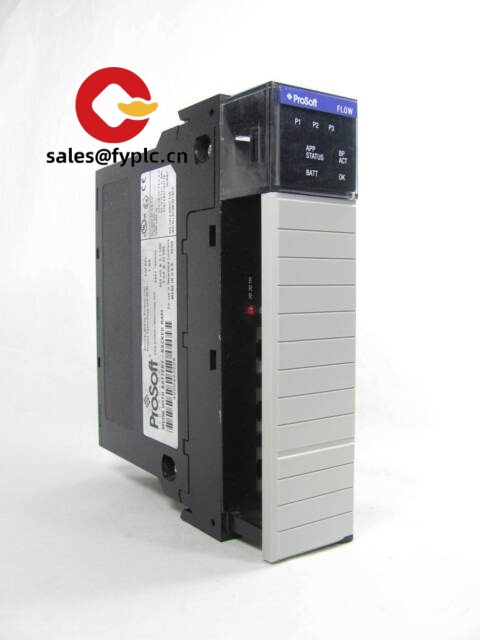
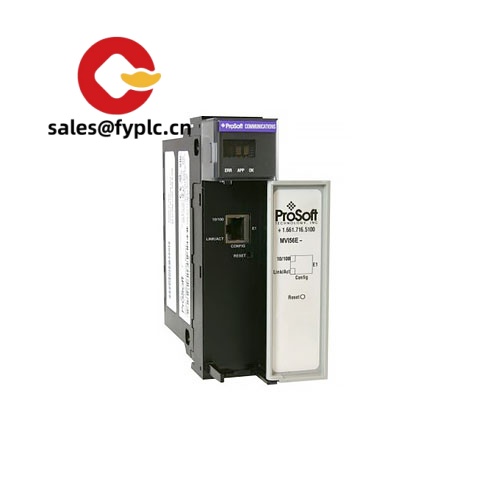
ProSoft Technology MVI56-DFCM for Allen‑Bradley ControlLogix – DF1 Master/Slave Serial Communication Module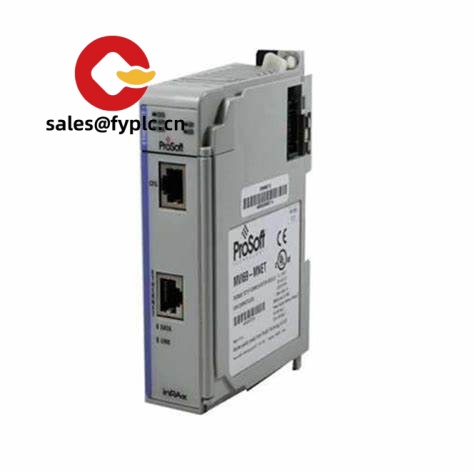
The MVI56-DFCM is a ControlLogix platform communication module that lets your Allen‑Bradley 1756 system talk DF1—both Full‑Duplex and Half‑Duplex—so you can connect to legacy PLC‑5, SLC 500, MicroLogix, and radio‑modem networks without rewriting your process. From my experience, it’s a straightforward way to bridge new ControlLogix controllers with installed DF1 serial assets in plants, water/wastewater sites, or pipeline telemetry where ripping and replacing isn’t practical.
Company’s Order Placement Process and Guarantees
- Warranty: 365 days
- Delivery: 1 week if in stock; no more than one month at the latest
- Payment: 50% advance payment; full payment before delivery
- Express options: FedEx, UPS, DHL
Key Features
- DF1 Master/Slave support – Works as a Master polling multiple DF1 devices or as a Slave to an existing DF1 master on Full‑ or Half‑Duplex links.
- Dual serial ports – Two configurable ports for RS‑232/422/485, typically up to 115.2 kbps; handy for one radio network and one local device in parallel.
- ControlLogix-native integration – Installs in a 1756 chassis and exchanges data with the CPU over the backplane, so you keep ladder changes minimal.
- Radio Modem mode – Designed for Half‑Duplex DF1 networks used in telemetry; typically improves reliability on store‑and‑forward radio paths.
- Flexible data mapping – Map DF1 files (N, F, B, and others) to controller tags; in many cases it shortens commissioning time on migrations.
- Diagnostics & LEDs – Front‑panel LEDs and software diagnostics make it easier to see port status and troubleshoot framing/handshaking issues.
- ProSoft Configuration Builder – Simple PC-based configuration with importable poll lists; you can save and version your config for later audits.
Technical Specifications
| Brand / Model | ProSoft Technology MVI56-DFCM (for Allen‑Bradley 1756 ControlLogix) |
| HS Code | 8517.62 (Data communication apparatus) |
| Power Requirements | 5 VDC from 1756 backplane, approx. 800 mA (typical) |
| Dimensions & Weight | Standard 1756 module size, approx. 145 × 35 × 147 mm; ~0.3 kg (typical) |
| Operating Temperature | 0 to 60 °C; 5–95% RH non‑condensing |
| Signal I/O Types | Two serial ports configurable for RS‑232/422/485; DF1 Full‑Duplex, Half‑Duplex, and Radio Modem modes |
| Communication Interfaces | 1756 backplane to controller; dual serial ports (DB9M in most cases) for field connections |
| Installation Method | Installs in a 1756 chassis slot; configured via ProSoft Configuration Builder; tag exchange with ControlLogix over the backplane |
Where it typically fits
You might notice the MVI56-DFCM most in migration projects—bridging a new ControlLogix L8 controller to an installed SLC 5/05 network—so production can switch over line by line. It’s also common in water/WW plants running Half‑Duplex DF1 over licensed radios; the module’s Radio Modem handling tends to make polling more predictable on longer links.
Related or Supporting Products
- MVI56-MCM – Modbus Master/Slave for ControlLogix; choose if your field devices are Modbus (RTU/ASCII) rather than DF1.
- MVI56-DFCMR – DF1 variant with enhanced Radio Modem features; useful when your network is predominantly radio-based.
- 1756-A4 / 1756-A7 / 1756-A10 – ControlLogix chassis options depending on slot count you need.
- 1756-PA72 / 1756-PB72 – ControlLogix power supplies; pick based on input type and backplane load calculations.
- ProSoft Configuration Builder (PCB) – PC tool for configuration and diagnostics; typically used over a serial service connection.
- Shielded serial cables (DB9) – RS‑232 or RS‑485 pinout as per site standard; keep runs short for RS‑232, or use RS‑485 for multi‑drop.
Installation & Maintenance
- Cabinet & environment – Mount in a 1756 chassis within a ventilated industrial enclosure (IEC/UL rated). Keep ambient 0–60 °C and humidity non‑condensing. Allow airflow around the module—heat builds up more than people expect in dense racks.
- Wiring practices – Use shielded, twisted‑pair for RS‑485; terminate with 120 Ω at both network ends and apply bias as needed. For RS‑232, keep cable runs short (typically <15 m) and avoid routing alongside VFD motor leads. Ground the shield at one end to minimize loops.
- Slotting & backplane – Any free 1756 slot is fine. Key the module in the chassis and verify backplane power capacity; DF1 polling rates are usually limited by serial timing rather than CPU load.
- Configuration – Build your poll list and data map in ProSoft Configuration Builder. Start with conservative timeouts and inter‑message delays on radio links, then tighten once the network proves stable.
- Safety – De‑energize the chassis before insertion/removal. Use proper ESD handling. Confirm signal levels and pinouts before connecting to legacy DF1 nodes to avoid port damage.
- Routine maintenance – Quarterly check of connectors and shields; clean dust with dry air; back up config files and controller tags. Firmware updates can help, but apply them during planned downtime and match to your controller revision.
Quality & Certifications
- Certifications – CE and UL/cUL; RoHS compliant; commonly rated for Class I, Div 2 environments (check your exact hardware revision and datasheet).
- Manufacturer warranty – ProSoft’s standard warranty is typically multi‑year; our supply warranty is 365 days from shipment as stated above.
One thing I appreciate is how forgiving the MVI56‑DFCM is during cutovers—you can stage it in the rack, test polling with one device, and extend to the rest of the DF1 network with minimal ladder changes. If you want, send over your device list and preferred DF1 modes; I can recommend a clean poll strategy and cable set that usually avoids the common Half‑Duplex pitfalls.



Reviews
There are no reviews yet.